
In today’s world, ensuring the safety and security of our homes has become a top priority. With the rise of smart home technology, doorbell cameras have emerged as a game-changer, providing homeowners with an extra layer of protection and peace of mind. These innovative devices not only allow you to see who’s at your door, but also offer a range of advanced features that can help deter potential intruders and keep your family and property secure. Whether you’re looking to enhance your home security system, monitor package deliveries, or simply keep an eye on your front porch, a high-quality doorbell camera can be a valuable investment. In this blog post, we’ll explore the best doorbell cameras on the market, their key features, and how they can seamlessly integrate into your smart home ecosystem, empowering you to take control of your home’s security like never before.
Contents
- Top 5 Doorbell Cameras:
- 1. Arlo Video Doorbell – Best Doorbell Camera Overall
- 2. Google Nest Doorbell – Best Doorbell Camera for Google Assistant Users
- 3. REOLINK Doorbell WiFi Camera – Best Doorbell Camera for Ethernet Connectivity
- 4. Eufy Video Doorbell Dual – Best Doorbell Camera for Subscription-Free
- 5. WYZE Video Doorbell – Best Budget Doorbell Camera
- Things to Consider Before Buying a Doorbell Camera:
- Video Quality
- Field of View
- Installation Requirements
- Preparation and Tools Needed
- Setting Up and Testing
- Disadvantages
- Conclusion
Top 5 Doorbell Cameras:
1. Arlo Video Doorbell – Best Doorbell Camera Overall

The new Arlo Video Doorbell is an option for homeowners looking for a reliable and clear smart doorbell experience! Setting it up is a breeze with its user installation process and built in Wi Fi connectivity along, with either HD or 2K video quality that gives you a full view of your doorstep area. Imagine being able to keep an eye on visitors at your front door using the handy voice control features it offers!
The doorbell works well with external devices to improve your smart home setup smoothly and efficiently! If you want to access features like recording events and getting smart alerts, about motion detection you can subscribe to the Arlo Secure plan which lets you check out important happenings in your homes daily activity.
With access to the speaker and ports located at the back of the device allows you to choose between hardwiring the doorbell for trickle charging or manually recharging the non detachable battery whenever necessary for added convenience and flexibility.You can rest assured knowing that the battery has a lifespan of up to four months, on just one charge.The 2. 4 GHz WI Fi radio of the device guarantees connectivity to your network while an in built siren can be easily triggered through the app to enhance security measures.
The second gen Arlo Video Doorbell is, among the reasonably priced options out there and comes packed with a wide range of features that can greatly improve your homes security measures. Enabling you to stay better connected to your doorstep than ever before.
2. Google Nest Doorbell – Best Doorbell Camera for Google Assistant Users

The Nest Doorbell (Battery version) which operates wirelessly enables you to easily monitor your door from anywhere via your smartphone or a Nest Hub device The setup process is simple and user friendly that even those, without technical skills can handle it smoothly Once installed you can view high definition video of your visitors which lets you welcome guests or check on packages effortlessly
The doorbell stands out for its capability to recognize individuals well as pets and differentiate between packages and vehicles to send customized motion alerts that are relevant to you. However if you seek crisper Ultra HD video resolution and improved compatibility, with external gadgets the Arlo Essential Video Doorbell Wire Free is a compelling alternative that you may want to explore.
At dimensions of 6 by 1¾ by 1 inches in size for the Nest Doorbell (Battery) it seems a bit larger than its wired counterpart at 4 and a half by 1¾ by 1 inches, in size.Several chic color options are available including Ash, Ivy, Linen or Snow to match your homes style and showcase your flair.
Using a lithium ion battery as its source of power means the doorbell can stay operational for about 2 and a half months before needing a recharge or connection to existing doorbell wiring, for uninterrupted power supply.There is a downside though. In battery mode it doesn’t sync up with your current doorbell chime.However the Nest Doorbell promises to provide you with added security and peace of mind wherever you may roam.
3. REOLINK Doorbell WiFi Camera – Best Doorbell Camera for Ethernet Connectivity

The Reolink Video Doorbell WiFi enhances your home security setup by providing you with the ability to recognize visitors before answering the doorbell or opening the door.Its standout function includes recording events right before a visitor rings the doorbell or triggers motion detection.This feature guarantees that crucial moments are captured without any chance of being overlooked.
The doorbells exceptional 2k video quality ensures images of visitors for your peace of mind.Wi Fi support on both bands improves reliability for connectivity.Storing recordings locally provides access, to your security footage when required.Additionally vocal control feature simplifies the use of the doorbell.
Keep in mind that setting up the Reolink Video Doorbell requires wiring and might need some planning if your home doesn’t have a doorbell system in place yet. Also worth noting is that it doesn’t support IFTTT integrations at the moment which could restrict its versatility when compared to alternatives. If you’re looking for an installation process though the Wyze Video Doorbell Pro might be a more suitable option, for you.
When you get the Reolink Video Doorbell package it comes with everything you need for installation. A plug in chime box and mounting tools along with a power adapter included in the box for added convenience. You also have the option to go for the Power over Ethernet (PoE) version at no cost allowing you to tailor your setup to suit your requirements best. By choosing the Reolink Video Doorbell you are taking an approach, to protecting your home.
4. Eufy Video Doorbell Dual – Best Doorbell Camera for Subscription-Free
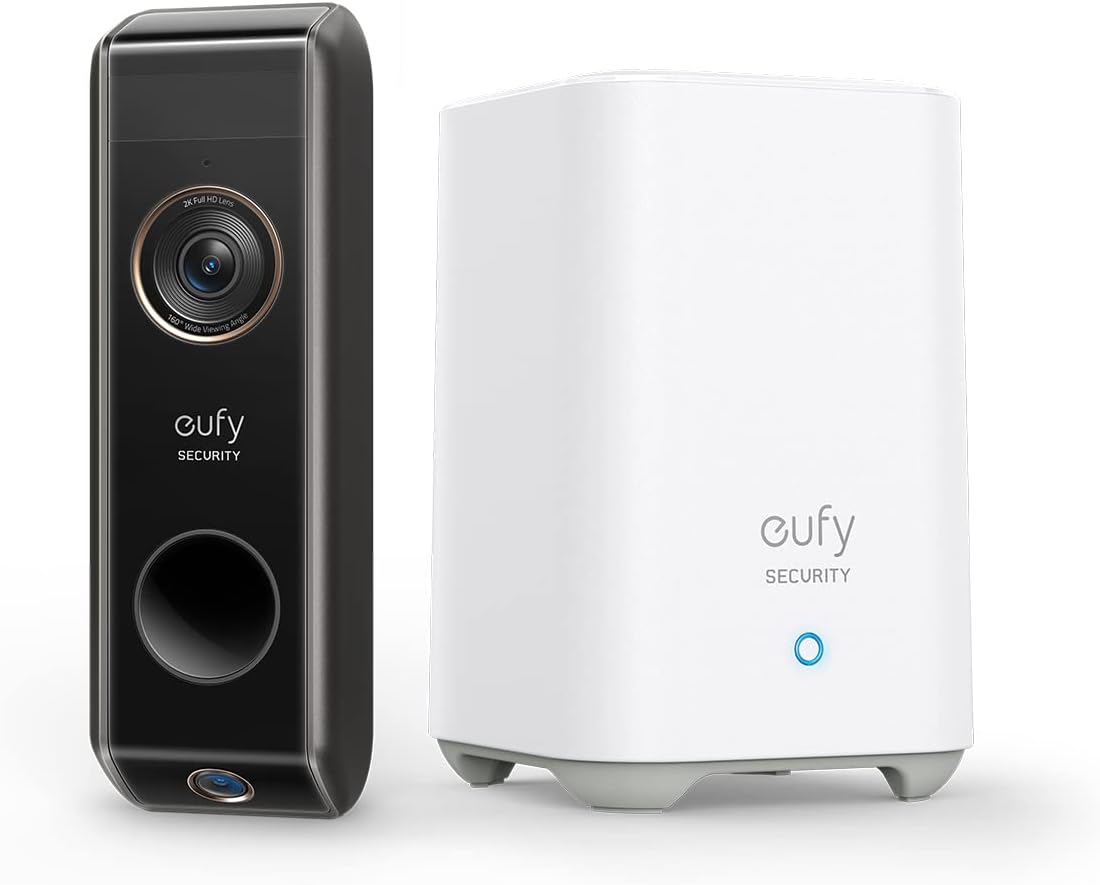
If you want to improve the security of your home setup s consider checking out the Eufy Doorbell Camera. It’s a pretty convincing choice that could make its higher cost worth it when compared to previous versions of the product. With its 2K resolution capability in place this camera makes sure to capture all details, with utmost clarity making you feel at ease whether you’re keeping an eye on deliveries or monitoring for any unusual movements. Having two cameras included does a lot to enhance your security coverage making sure nothing goes unnoticed.
One standout aspect is the video storage offered by Eufus HomeBase 3 that includes robust military grade encryption technology in place for added security measures without the need for ongoing subscription fees, to access and safeguard your data exclusively for your use.
Installing your camera is a breeze with the handy screw positioning card for accurate drilling during setup. Making installation a cinch! Connecting the HomeBase to your doorbell is simple and easy peasy, with the user mobile app that lets you manage your device effortlessly.The app even offers a section filled with tips and tricks to help you make the most of your new system.
The doorbell is battery operated. Provides a wide viewing angle of 60 degrees by 97 degrees while also working smoothly with popular smart home systems like Google Assistant and Alexa.Taking into account that everything is tailored for convenience and user friendliness will reassure you that you are making a choice, for enhancing your homes security measures.
5. WYZE Video Doorbell – Best Budget Doorbell Camera
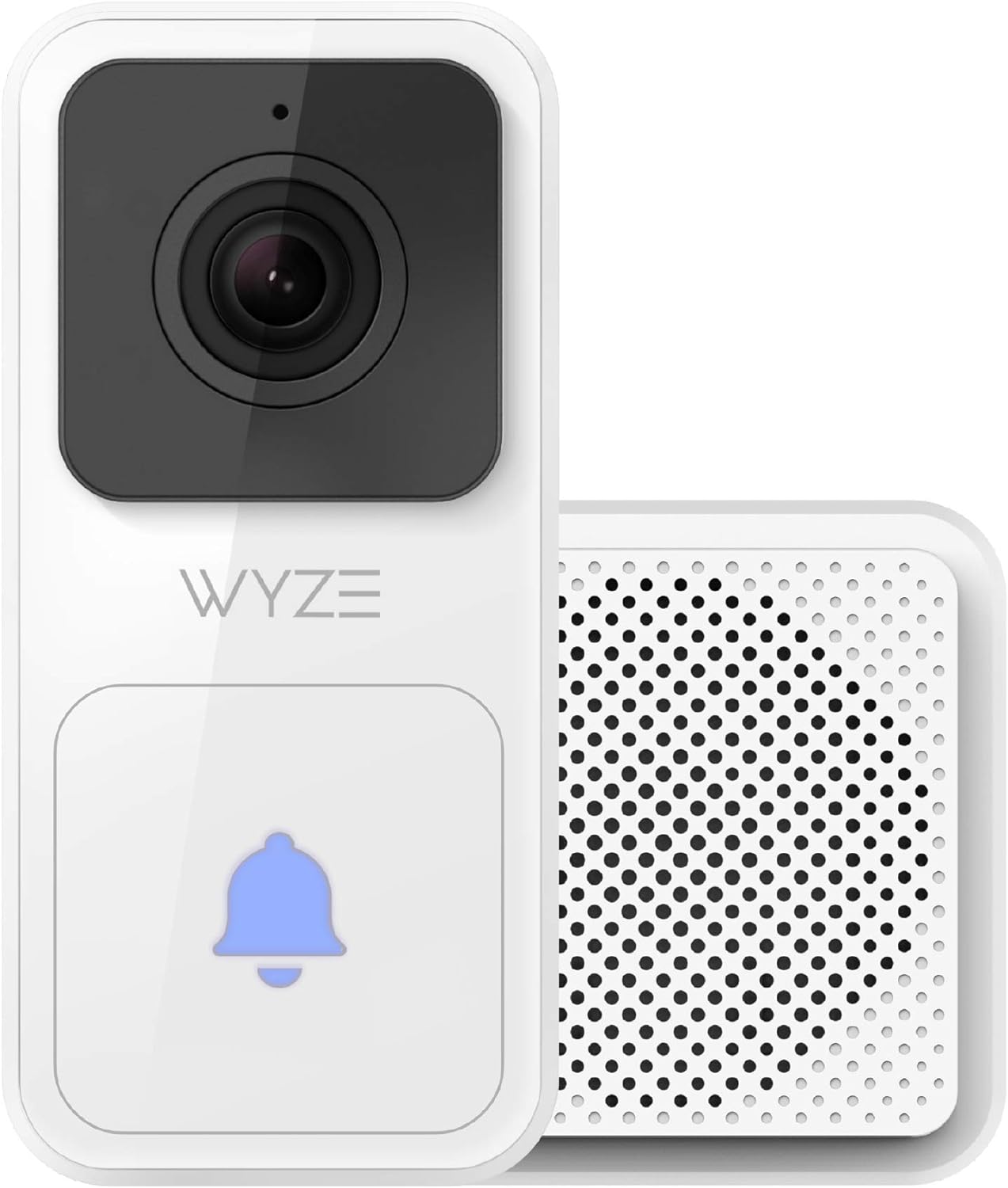
At sight the Wyze Video Doorbell may seem simple enough but its true worth shines through for budget conscious individuals out there—don’t be fooled by its basic look! Packed with a variety of features that could cater to your requirements.
The IP65 water resistant rating gives you assurance that it can withstand weather conditions without any worries, on your end.Leveraging Starlight CMOS sensors enhances night vision clarity and the 1080P HD camera combined with a 120 degree viewing angle guarantees you catch every detail by your doorstep.
The Wyze Video Doorbell stands out for its budget cloud storage option which sets it apart from other brands that usually require payment, for cloud recording services; Wyze provides a generous 14 days of complimentary cloud storage allowing users to conveniently access motion clips spanning the last two weeks without any extra costs incurred.
The doorbell has a 12 second recording limit with a five minute break between clips. It still works well for daily use. You have the option to use a free subscription, for necessary features or upgrade to Wyze Cam Plus for more storage choices.
Looking for a video doorbell that strikes a good balance, between features and cost? The Wyze Video Doorbell is an option that delivers strong performance without breaking the bank! Choosing this device ensures you can keep an eye on your doorstep securely without worrying about charges. Providing you with peace of mind.
Things to Consider Before Buying a Doorbell Camera:
There’s a lot to think about when deciding to install a doorbell camera at your home. With various options available, you need to assess features such as video quality, connectivity, and storage solutions to ensure it meets your specific security needs. Additionally, considering your home’s compatibility and any potential subscription services for video storage can greatly impact your experience. This guide will help you make an informed decision that enhances your home security while fitting seamlessly into your lifestyle.
Video Quality
Quality is a significant consideration when choosing a doorbell camera. You want a device that provides high-definition video to capture clear images of visitors. Look for cameras that offer at least 1080p resolution, enabling you to see details clearly, even at a distance. Additionally, features like HDR can improve visibility during varied lighting conditions, making it easier for you to recognize faces and make informed decisions regarding security.
Field of View
There’s more to your doorbell camera than just capturing the person at your door; the field of view is important. A wider field of view allows you to monitor more of your entryway, ensuring you don’t miss any activity. Look for cameras with a field of view of 150 degrees or more, as this provides better coverage of different angles, reducing blind spots. Features like pan and tilt options can also enhance the overall surveillance capability of your doorbell camera.
Factors such as the installation location and specific surveillance needs will determine how wide your camera’s field of view should be. If your front yard allows for a wider angle, opt for models that can provide extensive coverage. Alternatively, if your doorway is narrow, you might prioritize vertical viewing to monitor both your entrance and the area immediately around it. Ultimately, the right field of view will help you ensure comprehensive security around your front door.
Installation Requirements
On the topic of installation, make sure to assess what is necessary for your doorbell camera. Some models require wiring, while others are battery-operated and can be installed with minimal effort. Consider your home’s existing doorbell wiring and the mounting surface to ensure a hassle-free installation process.
A professional installation might be required for wired doorbell cameras, particularly if you’re not comfortable working with electrical systems. For battery-operated models, ensure that you have a suitable location that provides a strong Wi-Fi signal. Additionally, look for cameras that include easy-to-follow installation instructions to facilitate a seamless setup.
Preparation and Tools Needed
If you want a seamless installation experience, gathering the right tools beforehand is necessary. You will need a screwdriver, wire connectors, a drill, and possibly a level to ensure accurate mounting. Also, having a smartphone or tablet handy will allow you to install the corresponding application and complete the setup process efficiently.
Setting Up and Testing
You should now be ready for the final steps of setting up your doorbell camera. Make sure to turn on the power, launch the app, and follow the prompts to connect the device to your Wi-Fi. After pairing, make sure that the live video feed is functional, and check if notifications are being sent to your phone.
The setup process is streamlined to help you ensure everything is in order. Once your doorbell camera is connected, conduct several tests by pressing the button to confirm that it alerts you appropriately. Checking the video quality and response time will help verify that your new device is operating effectively and to your satisfaction.
Disadvantages
Disadvantages of doorbell cameras can impact your overall experience and safety. While these devices offer enhanced security features, they also raise privacy concerns for both you and your neighbors. This is particularly relevant if the camera captures footage beyond your property line, potentially leading to legal issues.
Cons include potential internet connectivity issues that might affect real-time alerts and video streaming, as well as subscription fees for cloud storage that can add up over time. Battery life can be another concern, especially if you opt for a wireless model. Finally, like any internet-connected device, doorbell cameras may be vulnerable to hacking, which can compromise your security if the device is not adequately protected.
Conclusion
To wrap up, as you consider purchasing a doorbell camera, you should evaluate crucial features such as video quality, storage options, and integration with your smart home system. Think about your specific security needs and where you’ll install the camera. Check for user-friendly interfaces and reliable customer support to ensure a hassle-free experience. By taking these factors into account, you’ll select the doorbell camera that best fits your lifestyle and enhances your home security effectively.
Leave a Reply