
Looking for the Best Gaming Monitors for PS5 that power up your play and enhance your gaming experience? Many gamers are frustrated by lag and blurry visuals. Our guide breaks down top-rated PS5 monitors and 4K gaming displays, ensuring you get stunning clarity and smooth performance. Discover how these incredible options transform your game and boost your excitement. Let’s jump in and explore your next upgrade!
Contents
- Top 5 Gaming Monitors for PS5:
- 1. Sony InZone M9 II – Best Gaming Monitor for PS5 Overall
- 2. Asus ROG Swift PG32UCDM – Best OLED Gaming Monitor for PS5
- 3. LG UltraGear 48GQ900 – Best Big Screen Gaming Monitor for PS5
- 4. Gigabyte M32UC – Best Curved Gaming Monitor for PS5
- 5. AOC Q27G3XMN – Best Budget Gaming Monitor for PS5
- Things to Consider Before Buying a Gaming Monitors for PS5:
- Refresh Rate Variations
- Screen Size and Resolution
- Response Time and Input Lag
- Compatibility with PS5
- Gaming Features to Look For
- Setting a Budget
- Researching Brands and Models
- Advantages of High-End Models
- Disadvantages of Budget Monitors
- Common Concerns Addressed
- Expert Recommendations
- Conclusion
Top 5 Gaming Monitors for PS5:
1. Sony InZone M9 II – Best Gaming Monitor for PS5 Overall

Looking for the best gaming monitor for your PS5? If you’re in search of freedom from wires, the Sony InZone M9 II is the ticket. This splendid 27-inch model boasts a gorgeous 4K UHD resolution (3840 x 2160), providing you with clear and crisp details making it perfect for you, especially if you’re into RPG type of games.
Thanks to the Full Array Local Dimming, the contrast is super precise making highlights pop whilst shadows are turned pitch black with the stunning levels of shading that turn a movie into an experience. The monitor’s backlight scanning technology allows for the smooth clear reproduction of even the fastest moving scenes. Whether you’re charging on a chaotic battlefield or felling opponents in an open world without moving a pixel, the 160Hz refresh rate will ensure that the action feels incredibly smooth and responsive.
The 1 ms ultra-fast Response time virtually eliminates motion blur, so you can stay ahead of your opponents during intense gaming sessions. And VESA certified DisplayHDR helps transform your gameplay with greater visual immersion when in well lit environments, and features 600 nits for extremely bright scenes or completely dark nooks.
And at over 95 percent DCI-P3 color coverage, the colors will be more vibrant than ever, to keep you on an immersive winning streak. Sony M9 II (PlayStation 5 Specific) Dedicated features: Auto Genre Picture Mode, Auto HDR Tone Mapping for visuals that are best experienced on HDMI 2.1.
Play with confidence while your gaming investment is safely guarded as you embark on the countless quests and challenges that await you with the InZone M9 II.
2. Asus ROG Swift PG32UCDM – Best OLED Gaming Monitor for PS5

When it comes to gaming, are you ready to take it to the next level with the Asus ROG Swift OLED PG32UCDM? This stunning 32-incher boasts a QD-OLED panel that carefully manages the light coming from each of its 8.2 million pixels. The result is an extraordinary visual experience that brings you closer to the action than ever before, with rich, true blacks, and cinematic levels of high, dynamic range, colour and contrast that will make every game look and feel amazing. You can also experience visuals that are not only more lifelike, but are also vividly and realistically presented with Dell PremierColor, which features an exceptional color gamut and color depth.Play like the pros: This TUV Certified monitor has a flicker-free screen with ComfortView, a feature that filters out harmful blue light emissions.
While the SDR brightness of the monitor may leave something to be desired, it’s so much better when it comes to HDR, allowing you to enjoy your favorite games with a quality that you will not find anywhere else. Their 4K resolution and crazy 240Hz refresh rates far outstrip what your PlayStation 5 can deliver. And add to that its variable refresh rate (VRR) support plus an outstanding 0.03ms response time, promising super smooth, ultra responsive gameplay like you’ve never seen before.
You should also be fine when it comes to connectivity since this monitor comes with two HDMI 2.1 ports, one DisplayPort 1.4 input, a USB Type-C port that can deliver DisplayPort, and a fully-featured USB hub. And whether you’re plugging in your PS5 or several peripherals, getting up and running is fast and easy. The Asus ROG Swift OLED PG32UCDM is the future of gaming displays.
3. LG UltraGear 48GQ900 – Best Big Screen Gaming Monitor for PS5
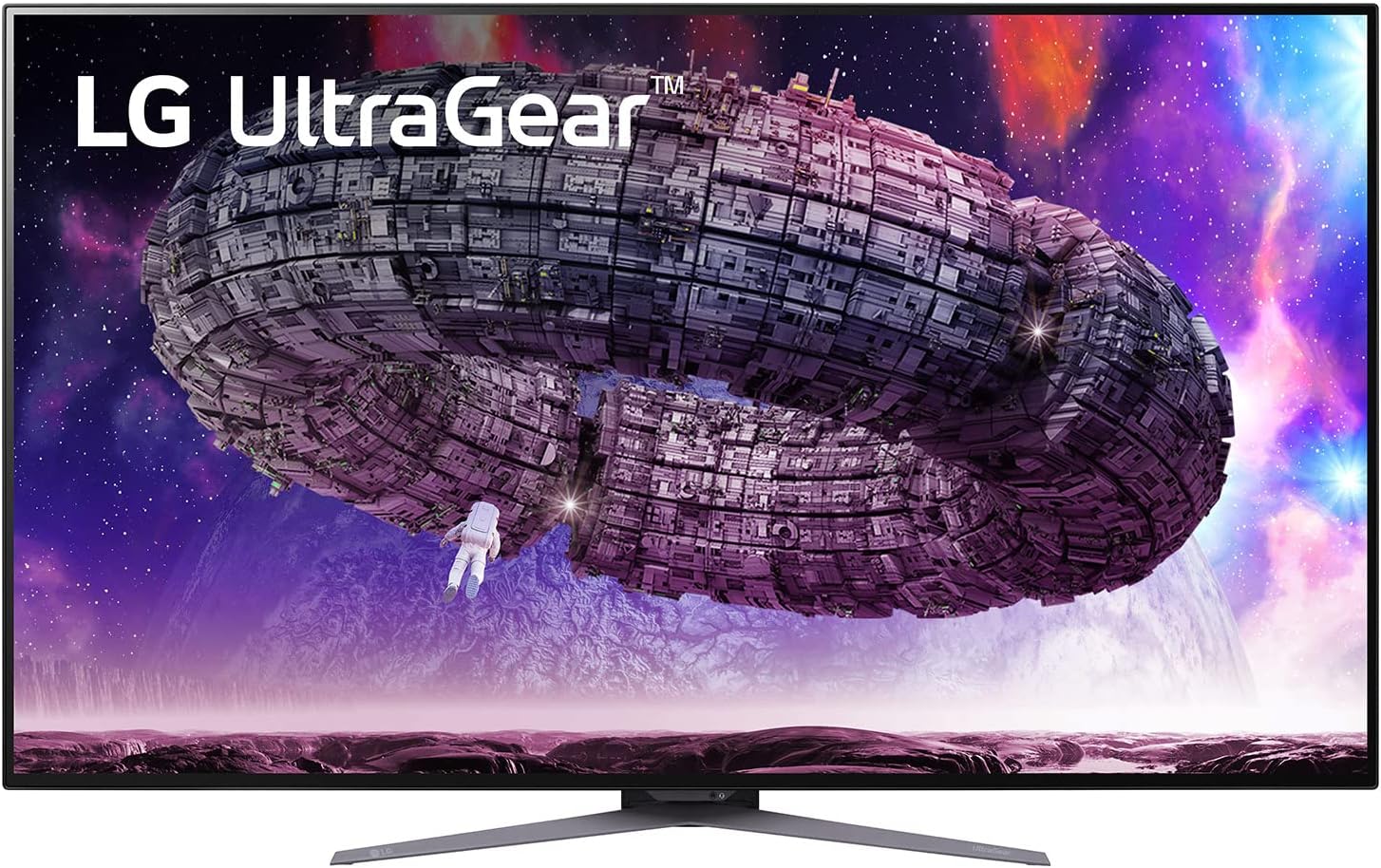
The UltraGear 48GQ900 is a do-it-all monitor that can accommodate both gamers and those looking for entertainment quality. It also touts a big 47.5 inch 4K OLED display for an expansive viewing experience, whether you’re gaming at your desk or lounging on the couch. The OLED panel offers tremendous vibrancy and infinite contrast levels, so colors pop, and blacks plunge deep, particularly in HDR mode (though it perhaps can’t go bright enough in SDR).
The UltraGear is on top of its game when it comes to gaming with your PlayStation 5 thanks to a crisp 4K resolution, running at a rapid fast 120Hz refresh rate and superb 0.1ms response time for smooth, no blur action across all games. It’s incredibly easy to switch from console to PC with a DisplayPort 1.4 and two HDMI ports. You also have customizable game modes meaning you can easily adjust the screen settings exactly to how you like to play your games.
Stunning design ultra-slim: namely barely visible, bezel finely constructed and individual RGB light strips ensure that you Design can personalise the monitor as well as an ergonomic stand. HDR 10 and G-Sync support are some of the specs that you can expect the LG UltraGear 48GQ900 to offer and is the perfect choice for someone that means business when it comes to performance and visual aesthetics from their display. Whether you are gaming, watching your favorite movie, or simply surfing the web, that is what you are going to get with this monitor, a great looking, and performing, beauty to add to your tech arsenal.
4. Gigabyte M32UC – Best Curved Gaming Monitor for PS5

The Gigabyte M32UC is an unparalleled curved gaming monitor, and it particularly stands on its own for those who want a dedicated gaming screen for a PS5. It offers great value for money over generic gaming TVs.
This monitor is big and curved in all the right ways with its 32 inch display and 1500R curvature, the curved VA panel adds another level of immersion to your gaming, making everyone el Month her in depth and detail. You won’t have to compromise on eye-candy, either – as we speak the image quality is set to maximum 4K resolution, every graphic detail razor sharp and alive with vibrant colour. The 144Hz refresh rate of the monitor goes beyond the maximum of PS5 (120Hz) to ensure that even motion-intensive games will be portrayed at true native refresh conditions without the blur that compromises gameplay.
What’s more, the Gigabyte M32UC offers a strong HDR rating with VESA DisplayHDR 400, increasing the spectrum of colors and contrast to offer a more vivid viewing experience. Whether you’re playing games, taking a stroll through an immersive universe or simply watching movies, you’ll enjoy crystal-clear visuals.
The monitor is built with HDMI 2.1, DisplayPort, and USB-C connectivity, which allows flexible connections for compatible devices. This is what makes it a great one for the gaming consoles, as well as for other computer accessories such as PCs etc.
All in all, the Gigabyte M32UC is a high-quality gaming monitor that offers great value for the performance you’re getting, so it’s a perfect choice for gamers who need a responsive and immersive gaming experience.
5. AOC Q27G3XMN – Best Budget Gaming Monitor for PS5

Do you want the best gameplay experience on a budget? The AOC Q27G3XMN is the best budget monitor for PS5 gaming. Boasting a 27-inch display with QHD (2560 x 1440) resolution, this display provides the most entertainment experience for your PC from gaming to movies Whether you’re browsing the web or watching your favorite movie, both offer the best experience.
Loaded with breakthrough Mini-LED backlight and 336 independent dimming zones, monitor makes the deepest blacks deeper, and the whitest whites brighter, resulting in a more life-like visual experience. You’ll also be a fan of the 180Hz refresh times (overclocked by DP1. 4) so that with every step you take, it’s all smooth sailing. With ultra-fast 1ms GtG response time, blurring and ghosting are dramatically reduced to make the in-game action sharper and smoother.
Enjoy smooth, tear-free gaming: With AMD FreeSync Premium technology, even the most action-packed moments are smooth and free of screen-tearing and stutter. The 3–sided frameless design, hairline texture finish, and matte screen combine to bring an unparalleled level of sleekness and beauty to your home without burning a hole in your walletThe 134% sRGB & 93% DCI-P3 colour gamut delivers vivid, vibrant colors with up to 1000 nits of brightness while gaming simultaneously VESA displayHDR 1000 delivers a dramatic visual experience and a higher contrast ratio and higher brightness, while also supporting 12-bit colour.
Whether you are facing down enemies in an epic battle or just want to see as much of your favorite large open world, the AOC Q27G3XMN will bring you to new levels of gaming success. Feel the difference that a high-quality monitor makes and up your game! It’s a great for purchase for gamers who want to compromise on performance or cost.
Things to Consider Before Buying a Gaming Monitors for PS5:
PS5 gaming demands a monitor that can elevate your experience to new heights. When opting for the perfect display, you need to consider factors like resolution, refresh rate, and response time to fully immerse yourself in stunning graphics and fluid gameplay. Additionally, features such as HDMI 2.1 support and HDR capabilities can significantly enhance your visuals. In this guide, we’ll walk you through vital aspects to evaluate, ensuring you make an informed decision for your gaming setup.
Refresh Rate Variations
If you want smooth gameplay, refresh rate is an important factor. Higher refresh rates like 120Hz or 144Hz ensure that your monitor can handle fast-paced action, reducing motion blur and enhancing your overall experience. A monitor with a matching refresh rate to your PS5 will provide seamless visuals during intense game sessions.
A higher refresh rate also minimizes input lag, which is vital in competitive gaming scenarios. When playing fast-paced titles, every millisecond counts; having a monitor that supports a refresh rate of at least 120Hz will set you up for success. This technology allows for smoother transitions and enhances responsive gameplay, making your gaming sessions not only enjoyable but also more immersive.
Screen Size and Resolution
Some gamers prefer larger screens for an expansive view while others may opt for smaller sizes for closer, competitive play. Your preferred resolution, such as 1080p, 1440p, or 4K, will also significantly impact visual clarity and detail.
Response Time and Input Lag
If you want a smooth gaming experience, you’ll need to pay attention to response time and input lag. A low response time ensures that your monitor reacts swiftly to your commands, while minimal input lag guarantees that your gameplay feels responsive and fluid.
Consider looking for monitors with a response time of 5ms or less for optimal performance. Input lag, ideally under 20ms, is also important for fast-paced gaming. A monitor with these specifications will help you stay competitive, enhancing your overall gaming enjoyment and allowing you to react effectively to in-game situations.
Compatibility with PS5
There’s no need to worry about connecting your PS5 to a monitor, as long as you select one that meets compatibility standards. Look for monitors that support HDMI 2.1 to unlock the full potential of your console’s performance, including features like 4K resolution and higher refresh rates.
Gaming Features to Look For
There’s a variety of gaming features that can elevate your gameplay experience on the PS5. These include adaptive sync technology to eliminate screen tearing, low input lag for responsive gameplay, and customizable settings for enhanced visuals.
Compatibility features like HDR support and color accuracy also play vital roles in your monitor selection. Additionally, ensure that your chosen monitor has sufficient gaming modes, built-in crosshair options, and quick-access settings to switch inputs or alter configurations to match your unique style. These features can make a significant difference in your overall gaming satisfaction.
Setting a Budget
Any purchase starts with a budget, and gaming monitors are no exception. Determine how much you are willing to invest in your monitor to narrow down your options effectively. This will help you avoid overspending and ensure you’re getting the best value for your money.
Researching Brands and Models
Some brands have built a reputation for quality gaming monitors, making them worth your time to research. It’s crucial to consider what models are available that fit your gaming style and preferences.
To make an informed choice, investigate deeper into specific brands and models that cater to your gaming needs. Check their specifications, performance ratings, and customer feedback. Analyzing differences among various options, such as refresh rates, response times, and resolution, will empower you to select a monitor that enhances your PS5 gaming experience.
Advantages of High-End Models
Monitors that fall into the high-end category typically offer superior features like higher refresh rates, better color accuracy, and advanced gaming technologies, which can significantly enhance your gaming experience on the PS5. These models are designed to maximize your console’s capabilities, making them ideal if you’re looking for the ultimate performance and visual quality.
Disadvantages of Budget Monitors
There’s a risk of compromising on quality when you opt for budget monitors. While they may offer savings upfront, you might face issues like lower resolution, slower refresh rates, and limited connectivity options that can detract from your gaming experience.
This can lead to visual lag, color inaccuracies, and an overall less satisfying experience while you game on your PS5. Budget monitors may not support desirable features like HDR or adaptive sync technologies, potentially making your gameplay less enjoyable and immersive compared to higher-end options.
Common Concerns Addressed
Concerns about compatibility, refresh rates, and input lag are common when selecting a gaming monitor for your PS5. You may wonder if your chosen monitor supports the latest features such as 120Hz refresh rate or HDMI 2.1. Addressing these issues can help you narrow down options that best suit your gaming needs.
Expert Recommendations
There’s a wealth of knowledge available from industry experts on selecting the best gaming monitor for your PS5. Recommendations often highlight features like higher resolution, faster refresh rates, and adaptive sync technologies that enhance gameplay. Factors such as size, panel type, and budget also play a significant role in making optimal choices.
Frequently, experts emphasize looking for monitors that support HDMI 2.1 to take full advantage of the PS5’s capabilities. Features such as Variable Refresh Rate (VRR) and Auto Low Latency Mode (ALLM) can significantly improve gaming performance. Prioritize monitors with at least a 144Hz refresh rate and 1ms response time for the best results in fast-paced games. By focusing on expert recommendations, you can ensure your gaming setup is both immersive and performant.
Conclusion
Now that you are equipped with the necessary factors to consider before purchasing a gaming monitor for your PS5, you can make a more informed choice tailored to your gaming style. Focus on features like resolution, refresh rate, response time, and additional capabilities such as HDR support. By aligning these features with your gaming preferences, you can enhance your overall gaming experience and fully enjoy what the PS5 has to offer. Choose wisely, and elevate your gaming setup to maximize your enjoyment.
Leave a Reply