
In an era where digital content and applications continue to grow in size and complexity, storage speed has become just as crucial as processing power for optimal computer performance. M.2 NVMe SSDs represent the cutting edge of storage technology, offering speeds up to six times faster than traditional SATA SSDs and transforming everything from game loading times to file transfers. Whether you’re a content creator handling large media files, a gaming enthusiast seeking lightning-fast load times, or simply someone who values a snappy, responsive system, choosing the right M.2 NVMe SSD can significantly enhance your computing experience. In this guide, we’ll break down the top performers in the market, considering factors like speed, reliability, capacity, and value to help you make an informed decision for your specific needs.
Contents
- Top 5 M.2 NVMe SSD:
- 1. SAMSUNG 990 PRO SSD
- 2. Crucial P3 Plus SSD
- 3. SAMSUNG 990 EVO SSD
- 4. SK hynix Platinum P41 SSD
- 5. Western Digital SN770 SSD
- Things to Cosider Before Buying a M.2 NVMe SSD:
- SATA vs. NVMe
- PCIe Generations
- Storage Capacity
- Read and Write Speeds
- Compatibility with Your System
- Reliability and Endurance Ratings
- Researching Your Options
- Evaluating Prices and Deals
- Cooling Solutions
- Warranty and Support Options
- To wrap up
Top 5 M.2 NVMe SSD:
1. SAMSUNG 990 PRO SSD

The SAMSUNG 990 PRO SSD is more than just a drive; it’s a gateway to optimized gaming performance. This amazing SSD has a random read speed of up to 7450 MB/s, with a write speed of up to 6900 MB/s to significantly reduce loading times in your games and applications. Picture seamless transitions between steady, swift gameplay and high-speed file downloads that never take you out of your task because of some frustrating waiting time.
With storage options ranging from 1TB to 4TB, the 990 PRO can accommodate your needs—be it the latest AAA gaming title, video editing projects, and large data analysis. With plenty of room for whatever it is you hold dear, you’ll never have to worry about fitting anything important.
The hard disk interface is SATA 6 GB/s, however, the real game is in PCIe Gen 4×4, which not only provides fast performance but also backwards compatibility. So you can have the advantage of the latest speeds even on older systems.
You could grouse a tad about the cost, and then look at what you get in terms of excellent quality and performance and call it a good buy. No matter what you enjoy most: gaming, creating, achieving — the SAMSUNG 990 PRO SSD will transform the way you experience it, so you can do more of what you love. Don’t hesitate — revolutionize your setup today!
2. Crucial P3 Plus SSD
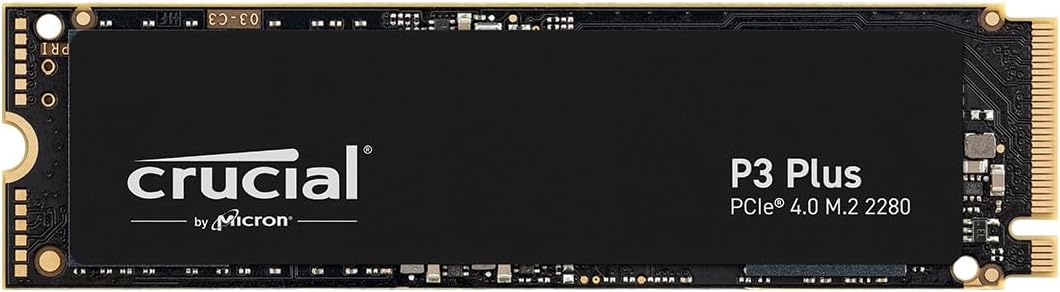
The Crucial P3 Plus SSD is our recommendation for those who want fast storage. Utilizing NVMe (PCIe Gen4 x4) technology, this SSD achieves a sequential read speed of up to 5000MB/s. Compared to Gen3 SSDs, it outperforms them by an astounding 43% — which should come in handy for gaming and content creation alike.
Available in sizes up to a generous 4TB, the P3 Plus provides ample storage for all your big data files and applications. With 350K / 460K IOPS read/write random results, you have quick access, making it multitasking without pause. Add its mean time to failure (MTTF) of over 1.5 million hours and it’s clear that this drive is not only going to do the job but will also be reliable enough to make you feel as if your data won’t be lost.
You’ll love its backward compatibility with Gen3, making for easy upgrades for worn-out systems. The drive’s 2.5-inch form factor allows simple installation into desktops and laptops.
Perhaps what stands out most is the degree to which the Crucial P3 Plus workshops a middle ground between performance and price. You’ll get a huge speed jump without spending too much. And a little by way of research makes for an uncompounded installation ( Installation Link ). If you don’t have it yourself, don’t wait—get your setup transformed today with the Crucial P3 Plus SSD!
3. SAMSUNG 990 EVO SSD

Looking for storage that offers insane speed and efficiency? Using the SAMSUNG 990 EVO SSD to call out to you. Reach read and write speeds of up to 5,000/4,200 MB/s for nearly instant loading of your games and files so you can dive into action without waiting. If you are trying to be productive, this makes all the difference in the world, fuelling a smooth experience that helps you get things done.
Power Efficiency — Another one for the 990 EVO Its performance per watt is also up to 70% better than its predecessor 970 EVO Plus. That makes for solid speed without sucking the life out of your laptop or PC’s battery—making it ideal if you’re gaming or multitasking while on the go.
There is also the intelligent thermal control that stops any possible overheating; great if you’re deep into those lengthy gaming sessions or productivity projects. While you’re busy focusing on the things that matter, your game saves and files will be safe.
With a PCIe 5.0 interface, the 990 EVO is future-ready but also backward-compatible with older systems. Additionally, the Magician Software keeps your drive optimized and updated seamlessly.
4. SK hynix Platinum P41 SSD

SK hynix Platinum P41 SSD Review: A Solid-State drive that transforms your storage. The SSD features amazing read speeds of up to 7,000 MB/s and up to 6,500 MB/s with HYPERWRITE cache technology. Whether for gaming or multitasking, you can enjoy a significant improvement in your system responsiveness.
It provides improved performance efficiency, as it runs cooler and can operate on fewer resources for a more optimized overall experience. With robust testing consisting of 1,000 hours of stress testing, this SSD has achieved a staggering mean time between failures (MTBF) of its kind of 1.5 million hours.
Compatibility is another plus worth mentioning. While it’s clearly been optimized for PCIe 4.0 systems, the Platinum P41 doesn’t disappoint in PCIe 3.0 setups, nonetheless yielding up to an impressive 3,500 MB/s read and up to 3,200 MB/s write speeds. You’ll also find installation simple, so it’s accessible for users of any experience.
In this case, the drive itself has a fun and vivid multicolor design — that might be too flashy for some, but gives it an extra flair that many users love. And you deserve storage that can keep up with those demands, which is why the SK hynix Platinum P41 SSD is here to take your data to the next level! Find out its potential and experience the difference now!
5. Western Digital SN770 SSD
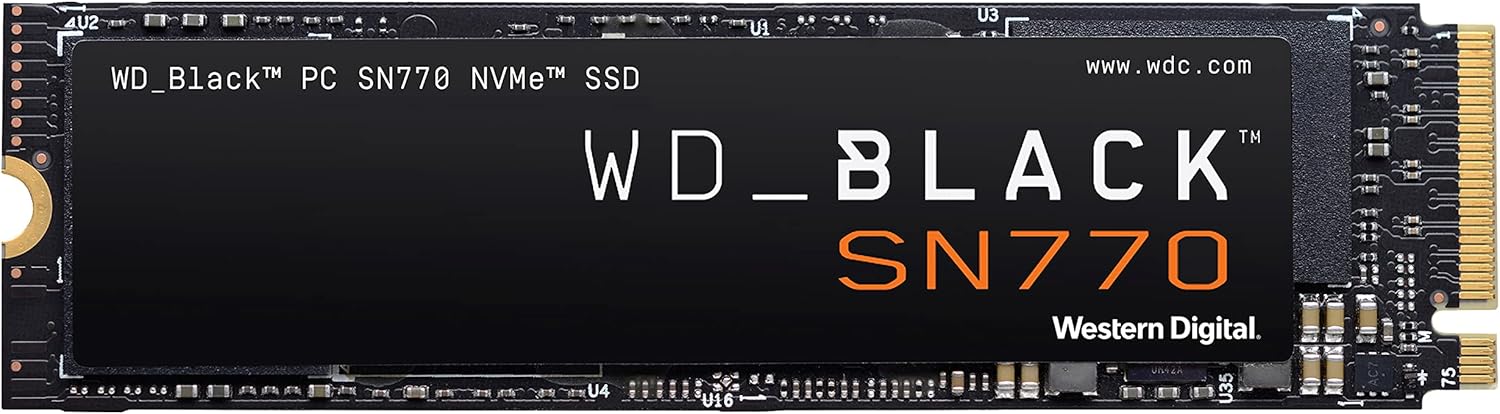
Do you want to get your gaming to the next level? The Western Digital SN770 SSD is built to redefine your game. With read speeds of up to 5,150MB/s, you’ll start noticing loading times disappear altogether, so you can get straight into the action without any of the annoying delays.
A key feature of the SN770 is its PCIe Gen4 interface. This technology helps reduce stutter providing you with seamless gameplay experience which completely elevates the overall gaming experience particularly in intense gaming sessions. And it’s compatible with Microsoft’s DirectStorage to future-proof your gaming.
And with a capacity of up to 2TB, you’ll have more than enough room for your vast game library, updates, and downloadable content. Say goodbye to deleting favorites to create space for new titles. The WD_BLACK Dashboard further supports this by providing the ability to maximize performance with gaming mode and easily monitor the health of your SSD.
Installation is simple courtesy of the 2280-inch-form factor, which can easily install into everything from laptops all the way to motherboards — so you’re basically guaranteed compatibility. It is worth noting that the SN770 is less cheap than other SSDs — however, its ability to reduce frame drops under prolonged playing sessions makes it a good investment. It if you’re looking to reflect serious upgrades to your gaming setup, the SN770 is one you should seriously consider.
Things to Cosider Before Buying a M.2 NVMe SSD:
Over the past few years, M.2 NVMe SSDs have transformed the way you experience storage speed and performance. As you probe the world of solid-state drives, it’s imperative to understand several key factors that influence your purchase. From compatibility with your motherboard to the actual storage capacity that fits your needs, this guide will equip you with the important considerations that will help you make an informed decision when selecting the right M.2 NVMe SSD for your system.
SATA vs. NVMe
Types of storage interfaces indicate significant differences in performance. SATA SSDs are often slower, offering read and write speeds up to 600 MB/s, while NVMe SSDs leverage PCIe technology, providing speed benefits with rates exceeding 3500 MB/s. This distinction is key to maximizing your system’s efficiency and responsiveness.
PCIe Generations
To fully appreciate M.2 NVMe SSD performance, it’s important to understand PCIe generations. Each generation typically doubles the bandwidth of the previous one, impacting overall speeds.
SSDs following PCIe 3.0, for instance, can reach up to 32 Gbps, while PCIe 4.0 doubles that potential, allowing speeds up to 64 Gbps. With the introduction of PCIe 5.0, speeds are set to further increase, offering future-proofing benefits. Selecting the right generation for your needs can significantly enhance your computing experience, especially for demanding applications like gaming or data-intensive tasks.
Storage Capacity
There’s no one-size-fits-all when it comes to storage capacity, as it largely depends on your use case. Consider how much data you regularly store or transfer. For general purposes, a 500GB or 1TB SSD will typically suffice, while power users may prefer options over 2TB. Evaluate your needs against available options to determine the best fit.
Read and Write Speeds
Write speeds can greatly influence your workflow efficiency, particularly for tasks such as video editing or large file transfers. High read and write speeds translate into quicker access to your data and faster load times for applications, thereby improving overall performance.
Plus, keep an eye on both sequential and random read/write speeds, as they impact different performance scenarios. Sequential speeds are necessary for transferring large files, while random speeds affect the loading times of apps and the OS. Comparing these metrics can help you choose an SSD that suits your workload and optimizes your daily tasks.
Compatibility with Your System
Any SSD will only be effective if it works seamlessly with your system. Before making a purchase, check your motherboard’s specifications to ensure it supports M.2 NVMe drives. Look for available M.2 slots and verify their size (e.g., 2280, 2230) to ensure a proper fit. Also, keep an eye on the PCIe version supported by your system to maximize speed.
Reliability and Endurance Ratings
You should pay attention to the reliability and endurance ratings of an SSD before purchasing. Endurance is typically measured in terabytes written (TBW) or drive writes per day (DWPD), indicating how much data can be written before the drive may need replacement. Make sure to choose an SSD with appropriate ratings according to your usage patterns.
Tips for assessing reliability include looking for SSDs that come from reputable manufacturers with positive reviews, as well as considering those that have advanced error correction and wear leveling technology. Additionally, extended warranties can serve as an indicator of a product’s reliability, giving you peace of mind for long-term use.
Researching Your Options
StepbyStep, begin by researching different brands and models of M.2 NVMe SSDs available on the market. Look for reputable manufacturers and examine their features, endurance ratings, and performance specifications. This foundational knowledge will help you narrow down choices that align with your storage needs and usage scenarios.
Evaluating Prices and Deals
Evaluating prices and deals involves comparing costs across various platforms to find the best value for your budget. Check online retailers, local electronics stores, and even manufacturer websites for sales or promotions that could lower the price. Keep an eye out for bundle offers that include necessary accessories.
Buying an M.2 NVMe SSD often involves monitoring price trends. Prices can fluctuate based on demand and inventory levels, so it’s wise to set alerts on items of interest. Additionally, consider purchasing when seasonal sales occur, such as Black Friday or back-to-school events, to ensure you secure a better deal on your investment.
Cooling Solutions
For optimal performance, it’s important to consider cooling solutions like heatsinks. M.2 NVMe SSDs can generate a significant amount of heat during heavy workloads, which may affect their reliability and speed. Implementing cooling mechanisms can help maintain lower temperatures, thereby enhancing your drive’s longevity and overall efficiency.
Warranty and Support Options
Now, it’s imperative to look into warranty and support options offered by the manufacturer. A robust warranty can provide peace of mind, ensuring that your SSD is protected against defects or failures. Make sure to check not only the length of the warranty but also the ease of the return or replacement process.
The warranty and support options can vary greatly between different brands and models. Some manufacturers offer more generous terms and quicker support services, which can be invaluable if you encounter issues with your SSD. Additionally, checking for user reviews can provide insight into the reliability of a manufacturer’s support team and how they handle warranty claims. This information can guide you in selecting not just an SSD, but a trustworthy brand that stands behind its products.
To wrap up
Hence, before purchasing an M.2 NVMe SSD, you should consider factors such as compatibility with your motherboard, the type of NAND flash used, the drive’s performance metrics, and your specific storage needs. Evaluating these elements will ensure that you select a drive that enhances your system’s efficiency and meets your usage requirements. Additionally, take into account warranty and brand reputation, as these can significantly impact your long-term satisfaction with the product. Making informed decisions will help you maximize the benefits of your investment in high-speed storage solutions.
Leave a Reply