
Discover the Best Wireless Routers that offer fast, reliable WiFi to solve your connection headaches! Tired of lagging streams and buffering videos? Our expert guide dives into top WiFi routers and cutting-edge wireless solutions designed for smooth, uninterrupted internet. Experience the power of heroic connectivity that transforms online life. Read on to unlock tips and recommendations that will supercharge your home network and banish unreliable signals for good.
Contents
- Top 5 Wireless Routers:
- 1. TP-Link Archer AXE75 – Best Wireless Router Overall
- 2. ASUS ROG Rapture GT-AX11000 – Best Wireless Router for Gaming
- 3. TP-Link Archer BE550 – Best Wireless 7 Router
- 4. ASUS RT-AX86U Pro – Best Wireless Router for Larger Homes
- 5. TP-Link Archer AX21 – Best Budget Wireless Router
- Things to Consider Before Buying a Wireless Router:
- Understanding Wi-Fi Standards and Their Importance
- The Role of Frequency Bands in Performance
- Evaluating Your Space: Square Footage vs. Router Range
- Factors that Influence Signal Strength and Distribution
- The Significance of Encryption Protocols in Safety
- Common Vulnerabilities and How to Mitigate Them
- Outlining Your Usage: Devices and Bandwidth Requirements
- Considering Upgradability: Is It Worth It
- Final Words
Top 5 Wireless Routers:
1. TP-Link Archer AXE75 – Best Wireless Router Overall

Ready to take your home network to the next level at a fraction of the cost? Look no further than the TP-Link Archer AXE75, which provides the perks of Wi-Fi 6E for a reasonable price. So while Wi-Fi 7 might be in the future, you don’t have to wait for it when you can have reliable, high-speed performance today.
Thanks to the newly available 6GHz band, your streaming, gaming and browsing activities would all be connected on a less crowded signal. Enjoy silky-smooth performance, which will eliminate “buffering” so you can fully experience all of your online favorites. For added security, the Archer AXE75 provides HomeShield Basic feature, and you can control which devices can access your network and set limits on when and how devices can connect to internet, You can filter out inappropriate content and no need to worry to about usage on unknown devices.
In terms of hardware setup, it has 4 wired LAN ports, 1 USB port and 6 antennas to give you wired and wireless access to all your devices. You can even protect your network with multi band security like WPA2 and WPA3 so that you have peace of mind that your network is safe from harm.
If you’re looking for a dependable router that can not only accommodate all your digital needs at the moment, but will also prepare for growth in the future, the Archer AXE75 has got you covered. Reimagine your digital experience with blazing fast speeds and reliable security that let you connect and conquer without the lag. Upgrade to AXE75 today and push your Wi-Fi network to the extreme!
2. ASUS ROG Rapture GT-AX11000 – Best Wireless Router for Gaming

Looking for a gaming router that will give you a gaming experience like a pro? ROG Rapture GT-AX11000 is built for large homes and the most demanding networks, providing game acceleration and lower ping with a quartet of antennas that direct signal to your devices. With tri-band capabilities and the latest Wi-Fi 802.11ax standard, you can experience blazing-fast internet connections, and put an end to any potential lag or interruptions.
Powered by a 1.8 GHz quad-core CPU and a 2.5 G gaming port, this router offers sensational performance for all your gaming requirements. Snow-white appearance produced in Taiwan Create a great look to uplift your network Whether you are streaming 4K/8K media, watching youTube, playing online games, or sharing files; you’ve been receiving one of ASUS’s high-end routers; the GT-AX11000 That can support multiple devices including your PC, smartphone or tablet and with the ultra-fast 802.11ax Wi-Fi you will enjoy a smooth and stable connection The GT-AX11000 has 3 times faster than 802.11ac at up to 11 Gbps. You have the freedom to build your home network with 2 units of the powerful GT-ax11000 to enjoy seamless Wi-Fi signal in every part of your home, enjoy the best coverage in any kind of living space, compatible with ASUS Aimesh Wi-Fi system.
The 256 MB flash memory, combined with the 1GB of RAM, ensures that you don’t have to perform the maintenance to keep your console at top-performance levels during those ultra long gaming marathon sessions. Monitor and Manage Your Network with Ease The ASUS WRT interface gives you 30 second setup and easy traffic management means even network newbies can enjoy its sophisticated features, while power users will love its Download Master, Quality of Service, multiple SSID and secure VPN access. What’s more, the exclusive ASUS AiProtection uses innovative security technology to not only block internet threats on connected devices, but also protect them before they even reach your network.
3. TP-Link Archer BE550 – Best Wireless 7 Router

Dealing with Internet whose speed lags behind the high-speed requirements of your online persona? The BE550 is set to change the way you experience connectivity. Featuring a tri-band frequency with a powerful 6 GHz band, this router is an all-in-one, strong router for streaming 4k content, gaming, and all your internet needs with no interference.
Those days of dead zones and interruption will be a thing of the past. EasyMesh technology guarantees a flexible and optimal Wi-Fi network in your home all the time and all over. Whether you’re downloading large files or playing online games, you will always get the perfect reception from this adapter.
Future proofing your network has never been more convenient. Featuring with one 2.5G WAN port and four 2.5G LAN ports, your life will be a blast, ensure that even your legacy gadgets get the speed they need.
And then it really comes down obviously to security and safety. Featuring built-In robust HomeShield security, including a privacy monitoring tool and an IoT security for smart home devices system, Archer AX50 is engineered to keep your network secure while providing the speed that you need. The Archer BE550 is not all about speed, but more about ensuring a fast, safe smart home environment. Get this premium router and you’re not just making your internet connection faster, you’re making your entire digital life better. You are about to experience fast, secure, and highly reliable Internet by using a modern browser.
4. ASUS RT-AX86U Pro – Best Wireless Router for Larger Homes
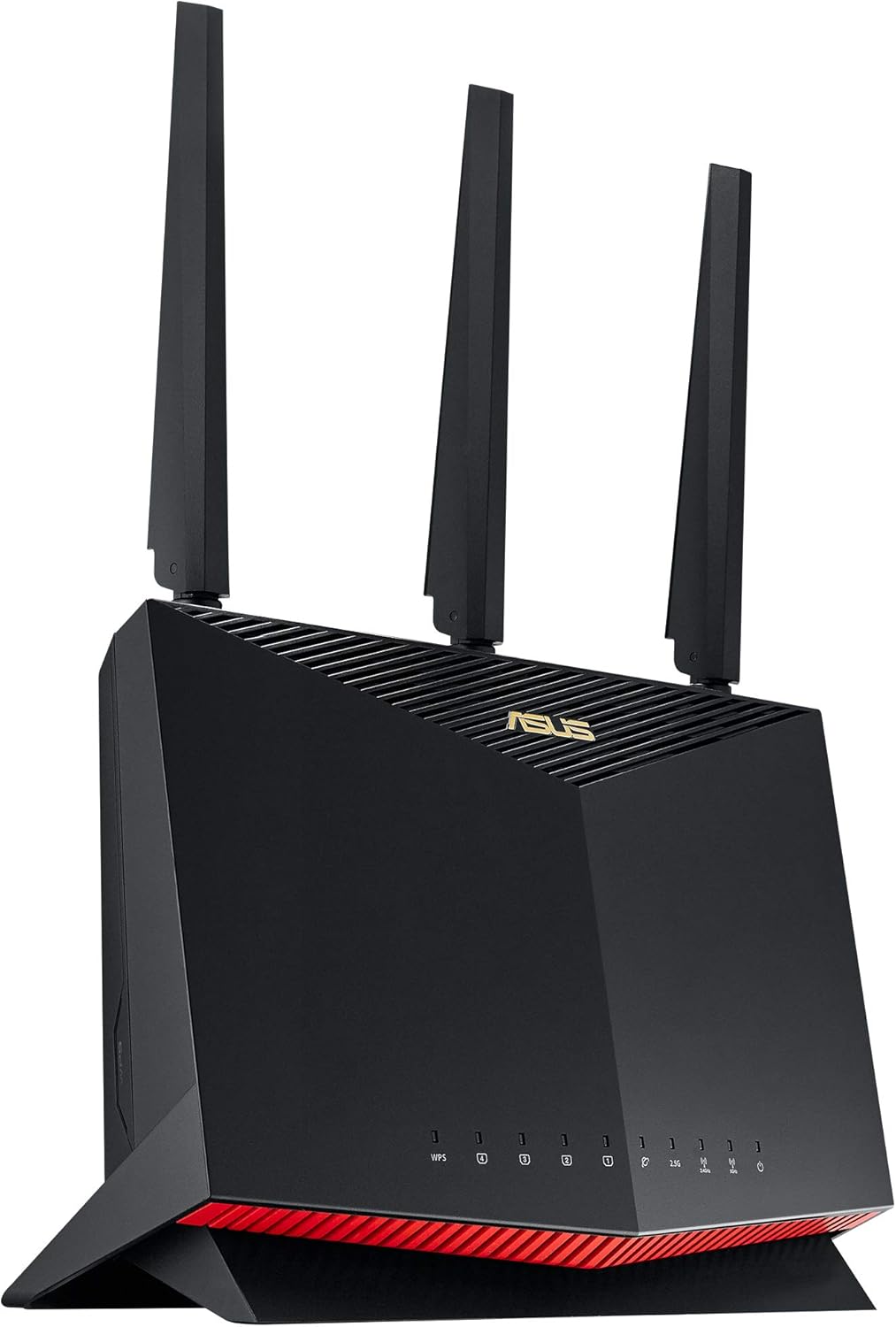
Fed up with Wi-Fi that fades away at the exact moment you’re trying to get some work done? The ASUS RT-AX86U Pro might just be what you’re looking for in this case. This powerful router was created to provide fast speeds to larger homes, since nothing puts the brakes on posting or streaming like a dreaded dead zone. Venture into the farthest reaches of the home and, when you’re working, streaming or web surfing, you’ll see speeds that rock, up to 906Mbps on the 5GHz band at 50 feet or more and up to 939Mbps as baseline for a wired connection.
Security is paramount too on the RT-AX86U, which boasts WPA3 certification, automatic updates and a straightforward suite of parental controls. This allows you to relax, knowing that your network is secure, with no maintenance required.
Multi-story home dwellers, however, this router is your friend! Larger homes over 2,500 square feet will see a benefit from any mesh system or Wi-Fi extenders, the RT-AX86U Pro minimizes any drop in signal strength even between floors.
But if you’re a hard core gamer looking for the absolute best performance, you might want to look into dedicated gaming routers. I have a RT-AX86U Pro which has solid performance but might not give you the super optimal experience you’d need for competitive gaming. Make an intelligent decision that works for you, and take your connections to the next level!
5. TP-Link Archer AX21 – Best Budget Wireless Router

Do you want a wireless router which provides outstanding performance without a premium price? The TP-Link Archer AX21 is one of the best options for those on a budget that still want the latest and greatest technology. This dual-band router has faster speeds, greater capacity, and less network congestion thanks to its Wi-Fi 6 (802.11ax) – so you can do more using your network, from streaming to gaming to working, without breaking a sweat.
They combine to create a superspeed connection at up to 1.8 Gbps—1200 Mbps on the 5 GHz band and 574 Mbps on the 2.4 GHz band—insuring that you’ll enjoy better streaming, chatting, and gaming with minimal lag. Forget about buffering and under-par Wi-Fi performance when multiple devices are in use the AX21 unleashes full Wi-Fi speeds and reduces limitations so you can enjoy bold, uninterrupted streaming on your network using powerful Wi-Fi 6 features, including 1024-QAM and 160 MHz bandwidth.
The Archer AX21 isn’t only about speed, however – it packs in essential features to make your home network better. With beam forming technology QoS (Quality of Service) and parental controls, the Nighthawk X4 AC2350 is suitable for dynamic media streaming and low-latency gaming. Not to mention, this Alexa-compatible model makes it easy to control with voice commands.
It is very easy to get started with your new router as it comes with a power adapter, RJ45 Ethernet cable, and a quick installation guide. This is true whether you use it to play games on consoles, computers, tablets, or cell phones with TP-Link Archer AX21. Get better internet today and connectwith ease!
Things to Consider Before Buying a Wireless Router:
You need to understand the key features and specifications that impact your internet experience before selecting a wireless router. Your choice affects speed, coverage, device compatibility, and security. By evaluating factors such as wireless standards, frequency bands, and security protocols, you can choose a router that meets your specific needs and ensures reliable connectivity throughout your space. This guide will help you navigate these important considerations so you can make an informed buying decision.
Understanding Wi-Fi Standards and Their Importance
Wi-Fi standards such as 802.11n, 802.11ac, and 802.11ax (Wi-Fi 6) define how devices communicate with your router. Opting for a Wi-Fi 6 compatible router enhances speed, capacity, and efficiency, especially in crowded networks. For example, Wi-Fi 6 routers can reach up to 9.6 Gbps under ideal conditions, a significant upgrade over the 3.5 Gbps max in Wi-Fi 5, resulting in better performance when streaming 4K videos or handling multiple devices simultaneously.
The Role of Frequency Bands in Performance
Routers generally operate on 2.4 GHz, 5 GHz, or both (dual-band). The 2.4 GHz band covers a wider area and passes through walls more easily but offers slower speeds, while 5 GHz delivers faster speeds over shorter distances, ideal for high-bandwidth tasks like gaming or HD streaming. Tri-band routers add an extra 5 GHz band to reduce congestion, supporting more devices without slowing down your connection.
Diving deeper, the 2.4 GHz band’s longer range makes it better suited for large homes or environments with many barriers, but its popularity means it often suffers interference from devices like microwaves and cordless phones. The 5 GHz band provides more channels and less interference, translating to increased performance in dense living spaces or tech-heavy households. Tri-band routers extend this advantage further by dedicating different frequency bands to various devices, balancing the network load and minimizing latency, which is especially beneficial in smart homes with numerous connected gadgets.
Evaluating Your Space: Square Footage vs. Router Range
Square footage provides a baseline for choosing router range, but architectural nuances affect coverage. A 2,000 sq. ft. single-story apartment differs vastly from a 2,000 sq. ft. multi-level home. Routers rated for 1,500 sq. ft. struggle in homes with thick masonry walls or multiple floors. Evaluating your layout alongside square footage helps you decide if a standard router suffices or if mesh systems and extenders are necessary to bridge gaps in coverage.
Factors that Influence Signal Strength and Distribution
Signal strength hinges on physical obstructions, interference, and device placement. Materials like concrete, brick, and metal heavily attenuate signals, while drywall and wood pose less resistance. Electronic devices like microwaves and cordless phones operate on similar frequencies, causing interference and reducing signal quality. Router placement, ideally centralized and elevated, optimizes coverage. Any disregard for these factors limits your network’s effectiveness across the intended coverage area.
The Significance of Encryption Protocols in Safety
Encryption protocols like WPA3 drastically enhance your network security by scrambling the data transmitted between your devices and router, making it unreadable to eavesdroppers. Routers supporting the latest encryption standards safeguard your traffic against increasingly sophisticated cyberattacks, such as brute-force or man-in-the-middle attacks. You should opt for devices that at least support WPA2, but prioritizing WPA3-enabled routers ensures that your connection benefits from the strongest protection available today.
Common Vulnerabilities and How to Mitigate Them
Default passwords, outdated firmware, and poorly configured network settings rank among the most exploited weaknesses in routers. These flaws often grant hackers access to your network, enabling data theft or device hijacking. You can mitigate these risks by regularly changing your router’s credentials, setting up a separate guest network, and applying firmware updates promptly to patch known vulnerabilities.
Expanding on vulnerabilities, unpatched firmware can harbor backdoors exploited by malware like VPNFilter, which infected over half a million routers worldwide. Enabling automatic updates or routinely checking your manufacturer’s website helps eliminate these risks. Additionally, disabling remote management features that remain unnecessary and using network intrusion detection systems can further shield your setup from unauthorized access attempts and lateral movement by attackers.
Outlining Your Usage: Devices and Bandwidth Requirements
Map out how many devices you regularly connect and the kind of bandwidth they consume. If your home runs multiple 4K streaming sessions, online gaming setups, and smart devices simultaneously, a router that can handle at least 1 Gbps throughput and multiple device connections via MU-MIMO technology will be necessary to avoid bottlenecks. On the other hand, if your streaming is mostly HD and you have fewer gadgets, a mid-tier router with dual-band capability may be adequate, balancing performance and cost.
Considering Upgradability: Is It Worth It
Some routers offer modular upgrades or firmware enhancements that extend their functional lifespan. Before buying, assess whether the router supports easy hardware upgrades like additional antennas or can receive frequent firmware updates to patch security flaws and improve features. Although initial costs may be higher, models with strong upgradability can adapt to changing technology standards, potentially delaying a full replacement and maximizing your investment.
Models like the Asus RT-AX88U exemplify upgradability by supporting regular firmware updates that introduce new capabilities and security patches. Its modular antennas also allow you to improve range without changing the entire unit. Conversely, many budget routers lack this flexibility, requiring a complete swap when new standards emerge. Factoring in your willingness and ability to update the router hardware or software can influence whether a more expensive, upgradable model ultimately saves money and hassle over the long term.
Final Words
Now that you understand the crucial factors to evaluate before purchasing a wireless router, you can make a more informed decision that suits your needs. Consider your internet speed, coverage area, device compatibility, and security features carefully to ensure your network performs efficiently and securely. Taking the time to assess these elements will help you select a router that enhances your connectivity experience and supports your online activities seamlessly.
Leave a Reply